




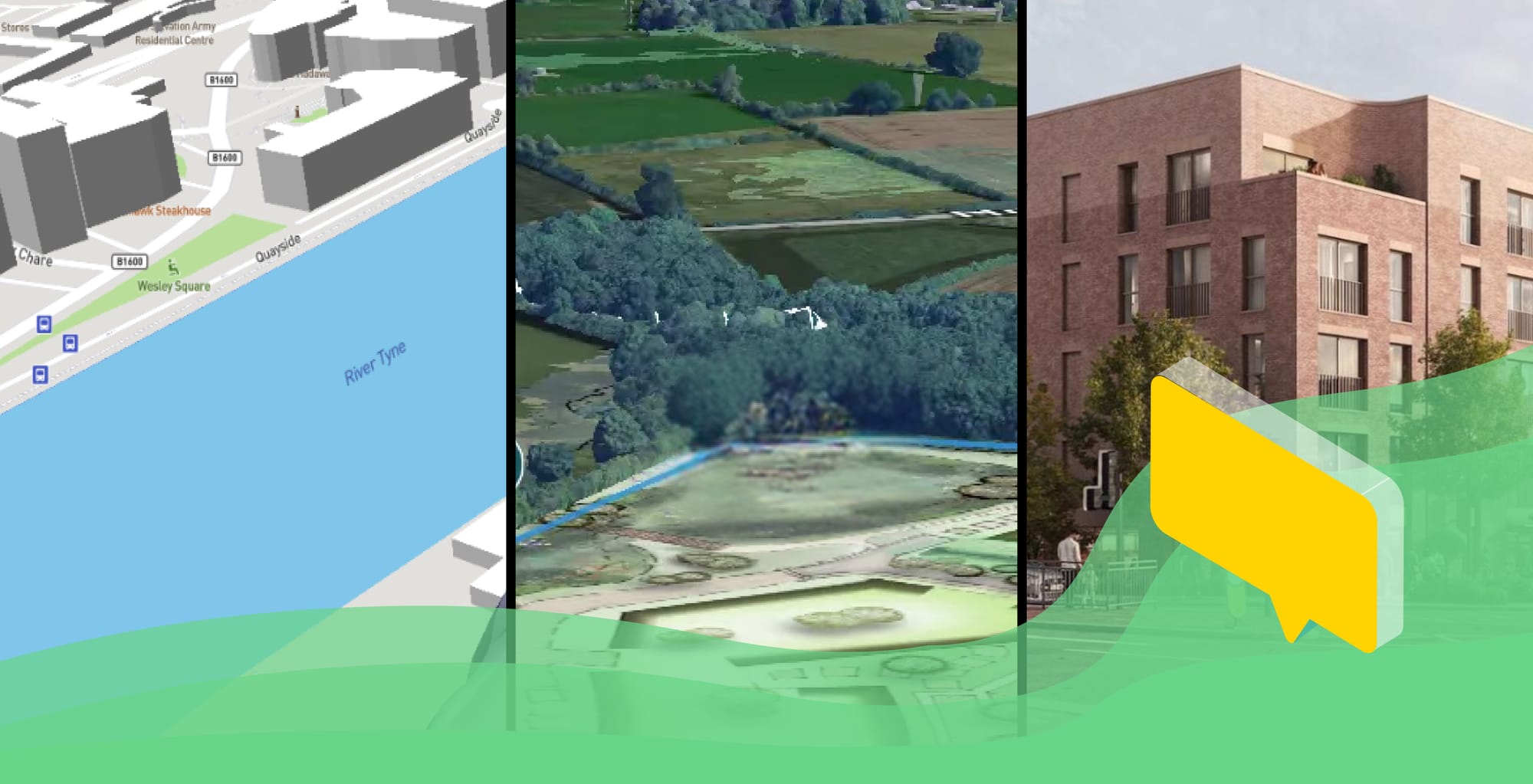
From CGI to 3D Proposal Maps: Visualisation for Public Consultation – Choosing the Right Approach
Topics
This article explores visualisation for public consultation in planning, examining how different approaches – computer generated graphics (CGIs), static 3D models, large-scale photogrammetry, and interactive digital tools – support effective public consultation and how they should be applied at different project stages.
It is aimed at planners, developers, and engagement teams who need to communicate proposals clearly through **visualisation for public consultation**, often under time or budget constraints.
The focus is not on promoting a single technology, but on helping teams choose the right visualisation for public consultation at the right stage, and understand how interactive tools can complement or partially replace CGIs.
1. Why visualisation for public consultation matters
Visualisation is not about polish – it is about comprehension, trust, and meaningful feedback.
Evidence from research into infrastructure planning shows that digital visualisation (particularly 3D models) leads to statistically significant improvements in public understanding of proposed change and higher levels of engagement when compared with traditional plans and drawings (Skaaland & Pitera, 2021). Practitioners consistently report that visualisation works as a shared language between professionals and non-specialists, helping people better grasp scale, massing, and impacts, and reducing communication barriers that often undermine participation.
Key reasons why to use visualisations on public consultations for build environment projects:
- Public consultation often fails to gain useful responses when proposals are hard to imagine, abstract (for instance if key constraints or future proposals are not presented clearly)
- More engaging and enjoyable public consultation events and conversations around real things
- Visuals help provide a bridge for professional language and lived experience
- Better understanding leads to more relevant feedback, not necessarily more objections
- Fewer misunderstandings compared to when visuals are absent or overly abstract
In public consultations, visualisation serves as an engagement tool first and possibly a marketing asset second. Studies reinforce the idea of visualisation as a shared language between professionals and the public, helping to reduce barriers created by technical planning documents.
2. Static vs interactive visualisation for public consultation: what’s the difference?
The strongest consultations often blend multiple visual formats.
Research concludes that there is no single ‘best’ visualisation method for all situations; effectiveness depends on the consultation objective, audience, and project stage.
At earlier stages, where designs are still evolving and changes are costly, lighterweight and interactive visualisation for public consultation is often more effective than static outputs. Interactive approaches allow teams to respond to feedback, test ideas, and adapt proposals without locking in detail too early, while still supporting shared understanding and meaningful engagement.
Here are some options for visualisations:
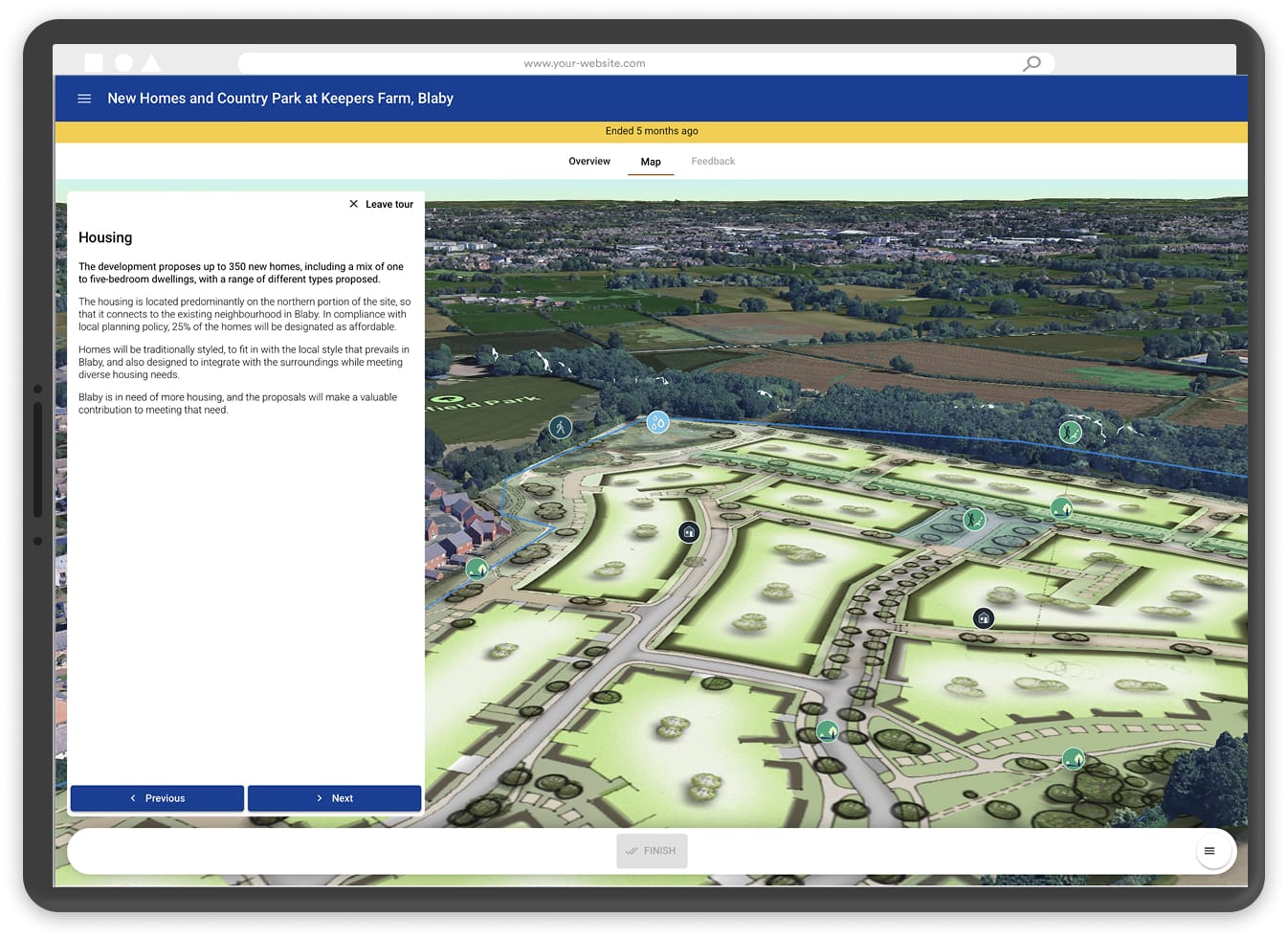
Interactive maps and layouts (context-first, low-cost)
Typical inputs: site boundary, constraints layers, base map or photogrammetry tiles, simple land-use diagrams, reference imagery or precedents.
Indicative cost drivers: size of site, availability of existing data, level of layering.
Typical cost range: low (£). Often scalable by site area (e.g. £ per hectare) rather than by visual complexity.
Best suited to: early pre-app consultation or large outline plans where the aim is orientation, context, and issue-spotting rather than fixed design or where detailed plans are yet to be developed.
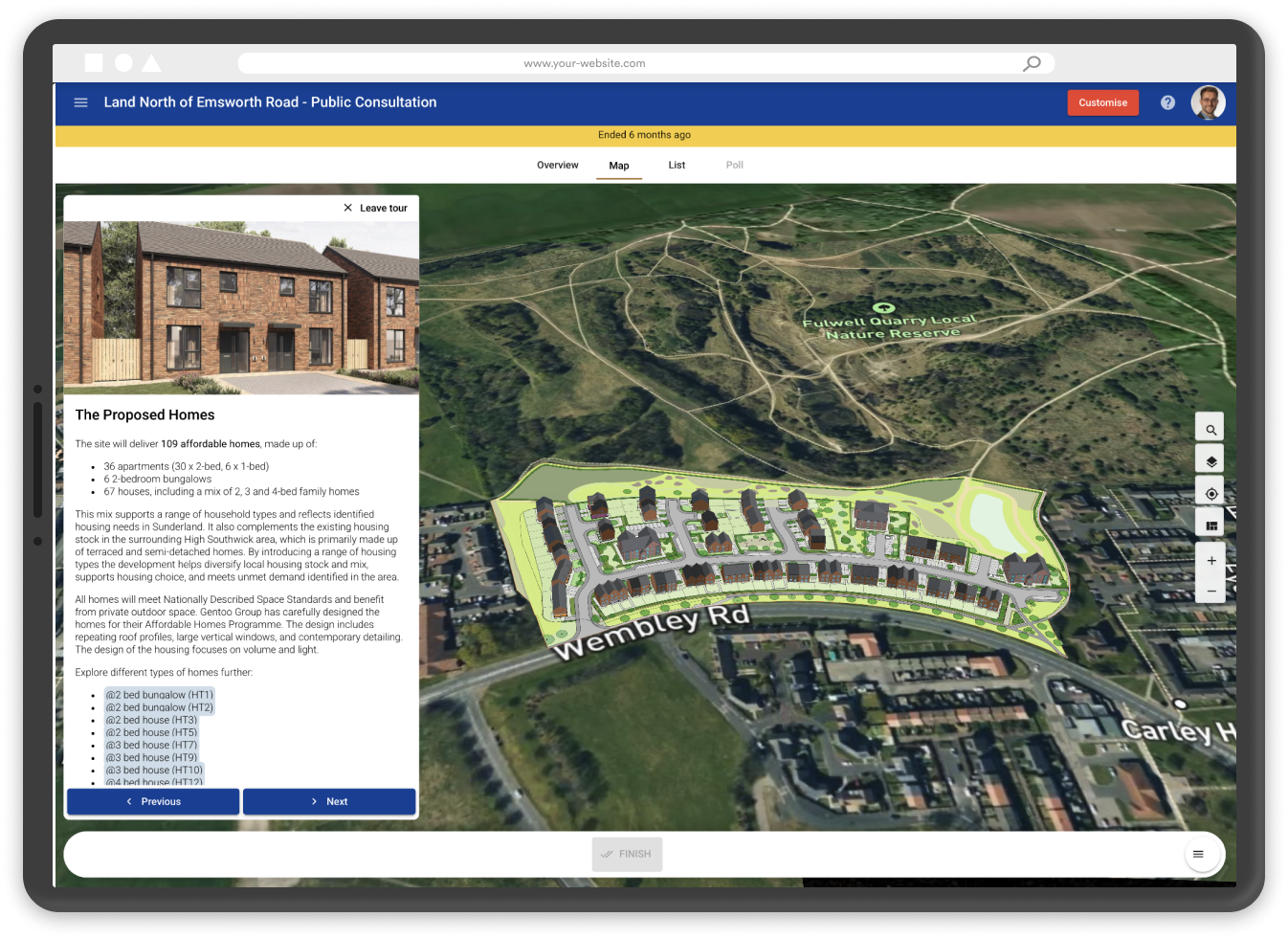
Interactive 3D model with house types or architectural massing + static snapshots
Typical inputs: site context model (often photogrammetry-based), parameterised house types or massing blocks, basic material assumptions, viewpoints for snapshots.
Indicative cost drivers: number of building typologies, size of site, level of interaction required.
Typical cost range: medium (££–£££). Costs often scale by number of buildings or typologies, with area still a secondary factor.
Best suited to: if block models are available, best for outline and reserved matters stages where design direction is emerging but flexibility is still required; or with house types, best suited for detailed applications.
High‑fidelity CGIs and animations (design‑led, high‑cost)
Typical inputs: developed architectural design, materials, landscape proposals, lighting studies, fixed viewpoints, marketing-level detail.
Indicative cost drivers: number of views, level of realism, revisions, and coordination effort.
Typical cost range: high (£££). Costs scale primarily by number of images and revisions, not site area.
Best suited to: post‑planning, pre‑sales, and marketing phases where certainty is high and change risk is low.
3. Practical checklist: choosing the right visualisation for public consultation
Choosing the right visualisation for public consultation is less about technical capability and more about making sensible decisions based on project stage, risk, and budget. The aim is to support understanding and dialogue without locking teams into costly or premature detail.
A useful way to think about this is to start with the decision you are asking the public to inform, and work backwards to the lightest visualisation that can credibly support that conversation.
Key questions for project teams include:
- What stage is the project at? Early pre-application and concept stages benefit from flexible, exploratory visualisation. Later stages, where proposals are fixed, can justify higher-fidelity outputs.
- What questions are we inviting feedback on? If the focus is location, access, scale, or impact on surroundings, context-first interactive tools are often sufficient. If the focus is detailed design or materials, more refined visuals may be appropriate.
- How fixed is the design? Where change is likely, interactive and parameterised visualisation reduces the cost and risk of rework compared to static CGIs
- Who is the audience? Public audiences generally benefit from accessible, navigable formats that allow exploration at their own pace, rather than curated viewpoints alone.
- What budget is available at this stage – and what level of risk does that budget need to manage? Consultation budgets are typically constrained, despite carrying high reputational and programme risk. Visualisation choices should reflect this reality.
- What level of detail is genuinely helpful? More detail does not automatically mean better understanding. In early consultation, clarity of context often matters more than architectural finish.
In practice, this means that early-stage public consultation is usually best served by cost-effective, scalable visualisation – such as interactive maps, photogrammetry-based context, and lightweight 3D massing – reserving bespoke CGIs and animations for later stages where certainty is higher and budgets increase accordingly.
Conclusion
Effective visualisation for public consultation is about clarity, not spectacle. The most successful consultations are those that help people understand what is being proposed, how it relates to the place they know, and where their feedback can genuinely influence outcomes.
There is no single visualisation method that works for every project or every stage, but modern interactive consultation tools broaden out the scope for interactivity on a relatively modest budget even at an early stage in your planning work.
Early in the planning process, when risk is high and budgets are limited, interactive and context-led visualisation offers a practical way to support understanding while keeping proposals adaptable. As projects progress and designs become fixed, higher-fidelity CGIs and animations can play an important role in communicating detail and supporting delivery and sales.
By aligning visualisation choices with project stage, budget, and consultation objectives, teams can use visualisation for public consultation not just to present proposals, but to build trust, improve dialogue, and make better-informed planning decisions.
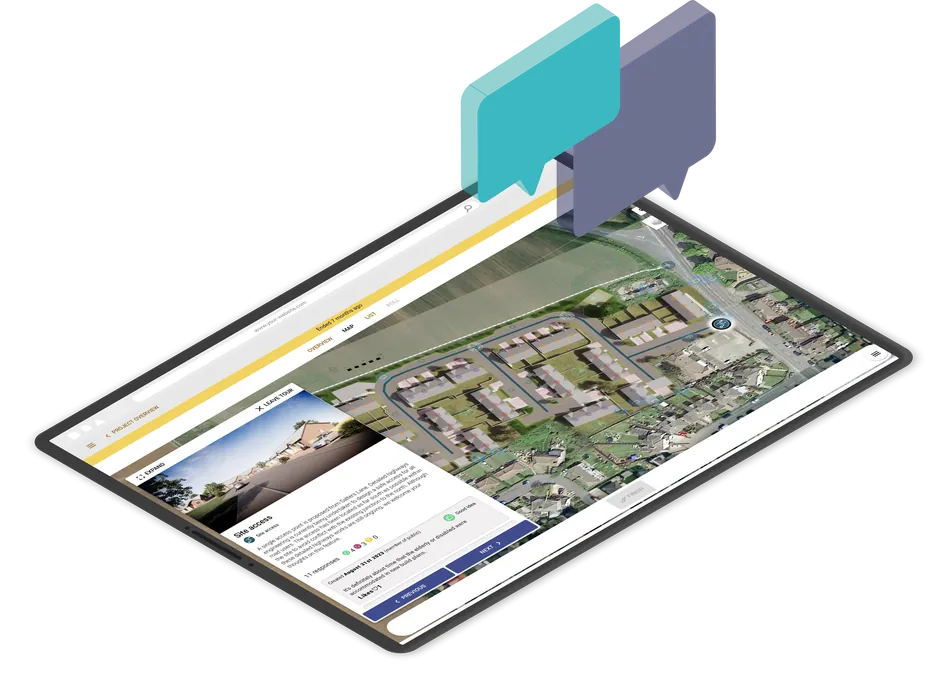
Run interactive community consultations online
Book a demo or start your free trial today.
Start Free TrialGet new articles in your inbox
Subscribe to get more insights like this delivered to your inbox.
Related Articles
Managing community consultation across multiple planning projects
The answer is not to make every consultation identical. It is to create a repeatable delivery model that still leaves room for local context.
From Plan to Proof: How to Simplify Consultation Outreach and Response Tracking
Learn how planning teams can plan consultation outreach, invite the right households, and keep a clear record of responses, materials and follow-up actions with PlaceChangers.
How to Turn Public Consultation Feedback Into Clearer Reports for Stakeholders
Stop manual spreadsheet data entry. Learn how AI-driven urban planning software turns messy public consultation feedback into professional, stakeholder-ready reports for the built environment in minutes.