

Managing community consultation across multiple planning projects
Topics
Running one community consultation is already a coordination task for inputs from the team, arrangement of publication materials and events, reporting towards deadlines. Running five, ten or twenty across different sites, clients, or design stages is a different problem altogether.
For those who operate and look after a whole portfolio or group of projects, the challenge is rarely just getting more responses. It is keeping engagement and consultation across a whole portfolio under control and well managed:
- Which project pages are live and which version of the proposal did people see?
- Which questions were asked?
- Which comments relate to which location, theme or design decision?
- Which project needs a report this week?
- Which teams, clients or consultants are allowed to edit, approve or export information?
- What kind of promotion actions has the site team done to make people aware of the consultation?
If each project invents its own website, survey, spreadsheet and reporting structure, the portfolio becomes harder to manage with every new consultation.
- For design teams and planning consultants, that can mean duplicated setup, inconsistent client outputs and more manual reporting at the end of every project.
- For housing associations and developers, it can mean losing the thread between early engagement, design changes and planning evidence.
- For local authorities, it can mean unclear governance across wards, services, project boards and member priorities.
The answer is not to make every consultation identical. It is to create a repeatable delivery model that still leaves room for local context, that gives respondents and admins alike a great experience throughout, and most importantly generates trustworthy and useful outcomes.
Managing public consultations across a portfolio of projects
Here we have pulled together some of the key learnings and important considerations when running many consultations across many projects, each with their own communities, deadlines, design teams and more from experience of our users on PlaceChangers, a consultation and engagement platform, specifically built to support urban design and planning teams.
Start with a portfolio-level process review
Before launching another project page, capture the current delivery model for consultation and engagement across your whole team and site portfolio or programme of past and future projects
At minimum, are some basic five questions:
- Who owns the consultation method at the moment?
- Who owns each public consultation website?
- Who approves public content before launch?
- Who reviews responses and agrees themes?
- Who signs off the report or evidence pack?
Those roles may sit in one organisation or across a consultant, client, design team and communications partner. The important thing is that the responsibilities are explicit, and your delivery model somewhat consistent whilst projects remain different and unique.
Without that model, multi-project consultation often drifts into a familiar pattern:
- Project teams launch their own consultation pages, across various domains, often with inconsistent branding.
- Communications teams field questions to technical teams.
- Consultants export spreadsheets back to communications teams.
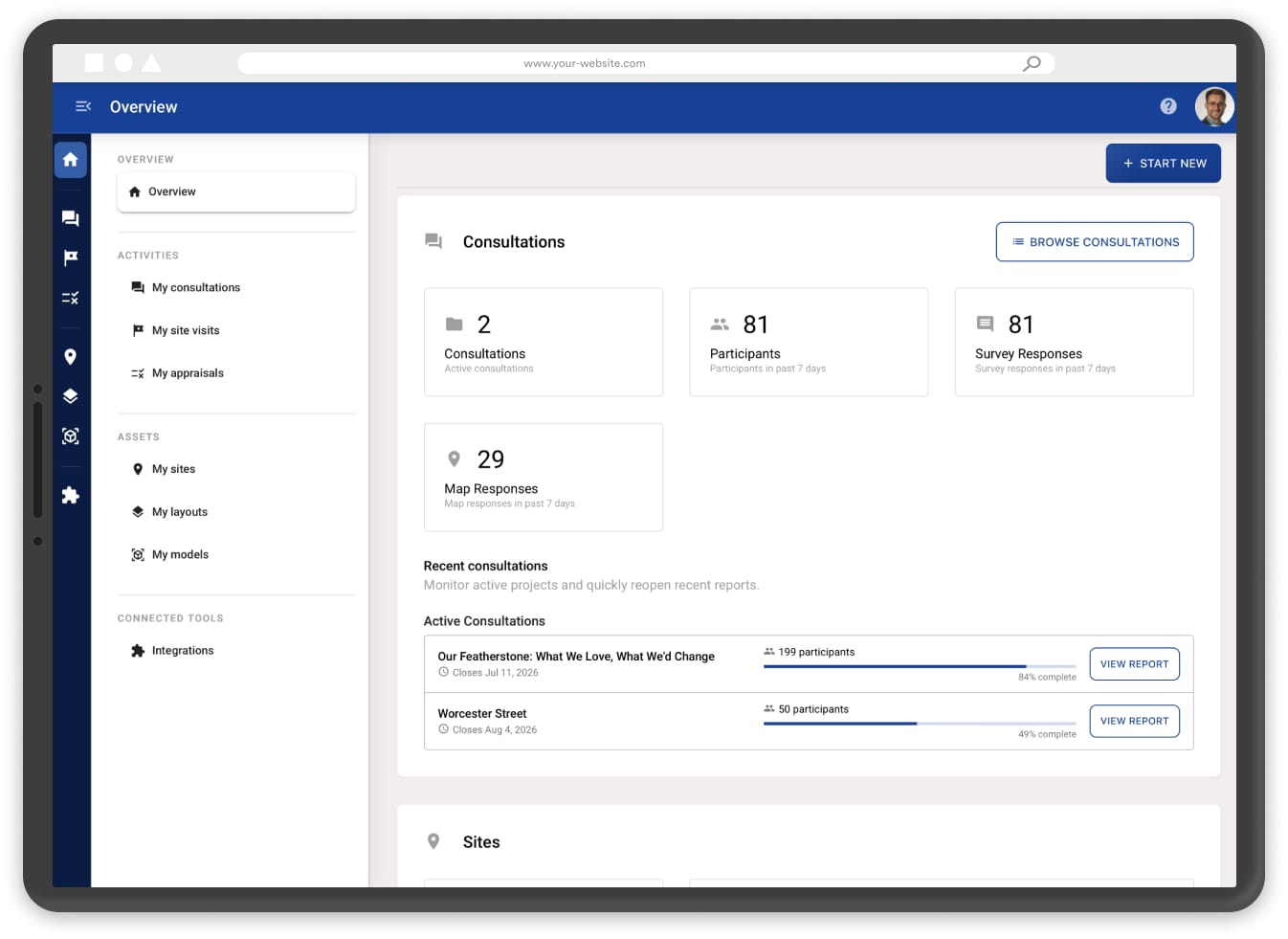
- There’s no single place or easy accessible place to log in and make simple changes quickly
- Somebody near the deadline has to turn scattered information into a credible report.
That may work once. It does not scale. Even worse, old stale pages may remain publicly accessible, or potentially target of hacks.
A portfolio operating model gives the team a shared way to launch, manage, review and close consultations without having to reinvent the process every time.
Make consistent what should be standard
A good multi-project programme level workflow makes the parts consistent that do not need to be reinvented. For example:
- Project landing page structure.
- Accessibility and plain-English content checks.
- Privacy notices and consent wording.
- Standard question types.
- Stakeholder categories.
- Response export formats.
- Approval steps before launch.
- Report headings and evidence-pack structure.
Introducing consistency does not mean flattening local nuance or making all projects the same. It means reducing avoidable setup and making sure every project starts from a reliable baseline.
The unique parts should still be specific to a project, such as:
- The project story.
- The proposal map.
- The planning context.
- The community was affected.
- The right mix of online, in-person and targeted engagement.
- The questions that match the decisions still open on that project.
- Potentially the project branding
This is especially important for planning consultants and consultant-led teams. Clients often expect every project to feel specific to their site, brand and planning strategy. At the same time, the consultant needs a repeatable process that avoids rebuilding the consultation operation from scratch.
Branded Consultation Pages are useful here because the public-facing page can feel specific to the project, client or place, while the underlying consultation workflow remains consistent.
Reuse the thinking, not the whole consultation
A housing infill scheme, a town centre masterplan, an active travel route and a design code are not asking the same questions. They should not all be forced into the same structure.
When it comes to consultation content and inputs, that does not mean the team has to start from a blank page every time. The useful thing to reuse is the thinking behind the consultation:
- What does this type of project usually need to explain?
- What decisions are still open?
- Which audiences need to understand or respond to the proposal?
- Which parts of the proposal are spatial and should be shown on a map?
- Which questions need structured answers?
- Which likely issues should the team be ready to review?
- What reporting output will be needed at the end?
For example:
- A housing infill project may need to ask about access, overlooking, parking, open space, local facilities and construction concerns.
- A public realm or active travel project may need map prompts for unsafe crossings, desire lines, junctions, accessibility issues and priority routes.
- A design code may need feedback on character areas, building form, street types, landscape, materials and local distinctiveness.
This is not about creating a rigid template. It is about giving the team a repeatable way to think through each project before the consultation is built.
PlaceChangers supports this by giving teams a consistent consultation workflow across project types: public pages, interactive maps, guided explanation, structured feedback and exportable evidence. The content, questions and map setup can still be tailored to the project, client, place and planning stage.
You can see this across different project types in the PlaceChangers case studies hub, including town centre masterplanning, design-code engagement, active travel consultation and housing-led engagement.
Keep evidence, approvals and reporting connected
Multiple consultations become difficult to manage when every project stores evidence differently or reports against different sections or topics.
For example:
- One project has a spreadsheet of survey answers.
- Another has map comments.
- Another has email feedback.
- Another has workshop notes.
- Another has a PDF report but no structured data behind it.
The portfolio benefits from consistent use of powerful delivery tooling, such as PlaceChangers. That does not have to be complicated, but it should be consistent enough that every response can be understood later.
A useful evidence model records the following in an easy, consistent, and reproducible manner:
- Source: online survey, map comment, workshop, email, event or stakeholder meeting.
- Date: when the response was submitted or recorded.
- Question or prompt: what the respondent was answering.
- Location: where the comment applies, if spatial.
- Theme: the issue, opportunity or design topic raised.
- Sentiment or response type: support, concern, suggestion, objection, question or other relevant classification.
- Decision status: noted, responded to, design change made, outside scope, escalated or unresolved.
- Reporting output: consultation report, Statement of Community Involvement, design review, cabinet paper, client update or planning submission appendix.
This gives the team a way to compare, filter and report across projects without pretending that all feedback is the same.
It also reduces the risk of anecdotal reporting. When evidence is structured, the team can show patterns without losing the detail behind them.
Structured Community Feedback helps with this because the useful evidence is not just the comment itself. It is the relationship between the question, the map context, the project, the theme and the next reporting step.
Keep the workflow together
The common multi-project failure is tool sprawl.
One system for websites. Another for maps. Another for surveys. Another for email. Another for web analytics. Another for reporting. Then a spreadsheet quietly becomes the real source of truth.
That can work for one high-effort flagship projects, with substantial budgets and large teams. It becomes very painful across a portfolio or programme of project sites.
A practical multi-project setup should bring together:
- Public consultation pages.
- Project branding and custom domains where needed.
- Proposal maps and visual explainers.
- Structured survey questions and map-based feedback.
- Response management.
- Analytics.
- Exportable data.
- Reporting support.
This does not mean every organisation needs one monolithic system for everything. Design teams, GIS teams, CRM systems and document-management workflows may still sit elsewhere.
But the core consultation evidence should stay connected enough that teams are not copying the same information between systems every week.
PlaceChangers Online Engagement brings consultation pages, proposal maps, structured feedback, analytics and reporting support into one place, while still allowing teams to use separate professional tools for design, GIS, CRM or document management where needed.
Track the portfolio, not just the project
When several consultations are live or in preparation, teams need a portfolio view.
At a minimum, track:
- Project name and owner.
- Project type.
- Consultation status.
- Launch date and close date.
- Approval status.
- Response count.
- Key risks or themes.
- Report deadline.
- Whether follow-up engagement or promotion is expected.
This helps teams spot problems early:
- A consultation with low response volume may need additional promotion.
- A project with recurring objection themes may need design-team review before reporting.
- A report due next week may need analysis time protected now.
- A consultation with multiple approvers may need earlier content sign-off.
Where a project needs targeted follow-up, the promotion workflow should stay close to the consultation map and response data rather than becoming a separate spreadsheet exercise.
For local authorities, this supports internal transparency. Different services, ward members and project boards may need different levels of detail, but the underlying status view should be consistent.
For planning consultants, the same idea supports client service. It is easier to reassure a client when the team can show what is live, what has been received, what needs review and what happens next.
Be careful with legal language
Not every consultation requirement is the same.
In England, formal public consultation on planning applications is undertaken by the local planning authority after an application has been received. GOV.UK planning guidance says the formal consultation period will normally last 21 days, and local authorities may set out more detail in their Statement of Community Involvement. (GOV.UK)
Applicant-led, pre-application or additional engagement are highly valuable, and may be expected on some projects because of local policy, project sensitivity, planning strategy or community context. GOV.UK guidance says the level of information needed for effective pre-application engagement varies depending on the scale and nature of the development, and the NPPF says early engagement can improve the efficiency and effectiveness of the planning application system. (GOV.UK)
For multi-project teams, the safe approach is to record:
- Why engagement is being undertaken.
- Which statutory or non-statutory process it relates to.
- What method was used.
- Who was invited or informed.
- What was received.
- How the project team considered the feedback.
That careful wording protects credibility. It also makes the final evidence pack more useful.
Governance and privacy matter more at scale
A single consultation can sometimes rely on informal habits. A portfolio cannot.
At scale, teams need clear rules for:
- User access.
- Client permissions.
- Draft and published content.
- Personal data.
- Response exports.
- Retention periods.
- Moderation.
- Internal notes.
- Public reporting.
- Closing, archiving or redirecting old consultation pages.
The more projects and partners involved, the easier it is for small data-quality issues to multiply. Use named owners, clear access levels and a consistent close-down process.
This is also why screenshots for marketing, proposals or reporting should be handled carefully. Use public-facing pages, anonymised demo projects or approved product screenshots. Avoid reusing live respondent comments, private dashboards, email addresses, client-only consultation URLs, account menus or unapproved client branding.
The portfolio test
A simple way to test your current setup is to ask:
- If someone asked for a status report on every consultation we are running, could we answer within an hour?
- Could we show which projects are live?
- Could we show which versions were consulted on?
- Could we show what questions were asked?
- Could we show what responses came in?
- Could we identify which themes are repeating?
- Could we see which reports are due next?
If the answer is no, the issue is probably not the team. It is the workflow.
Multi-project consultation needs structure. Not bureaucracy, but enough structure that each project can move quickly without losing evidence, context or accountability.
If you are managing several planning consultations, talk to us about your consultation portfolio. Bring the number of projects, project types, reporting deadlines and who needs to approve what, and we can help you map the workflow before the next page goes live.
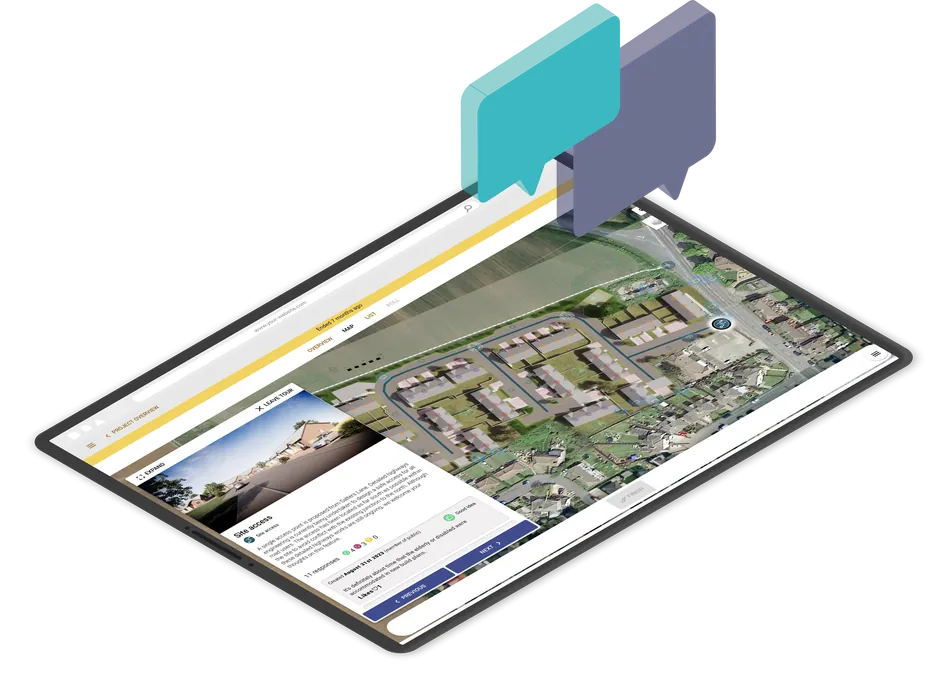
Run interactive community consultations online
Book a demo or start your free trial today.
Start Free TrialGet new articles in your inbox
Subscribe to get more insights like this delivered to your inbox.
Related Articles
From Plan to Proof: How to Simplify Consultation Outreach and Response Tracking
Learn how planning teams can plan consultation outreach, invite the right households, and keep a clear record of responses, materials and follow-up actions with PlaceChangers.
How to Turn Public Consultation Feedback Into Clearer Reports for Stakeholders
Stop manual spreadsheet data entry. Learn how AI-driven urban planning software turns messy public consultation feedback into professional, stakeholder-ready reports for the built environment in minutes.
From CGI to 3D Proposal Maps: Visualisation for Public Consultation – Choosing the Right Approach
Learn about visualisation for public consultation in planning and different the approaches available to you.